Plan your journey
When to use this: You want a daily route before heading into the field, or you are scheduling visits across the week.
Where: Workspace → Journey plan
- Open Workspace → Journey plan — the header shows Field visit plan and the hint Drag leads onto days · review today’s route.
- Today tab — review outlets already queued for the current day. Use Open calendar if you want to jump straight to the week view.
- Calendar tab — plan the rest of the week:
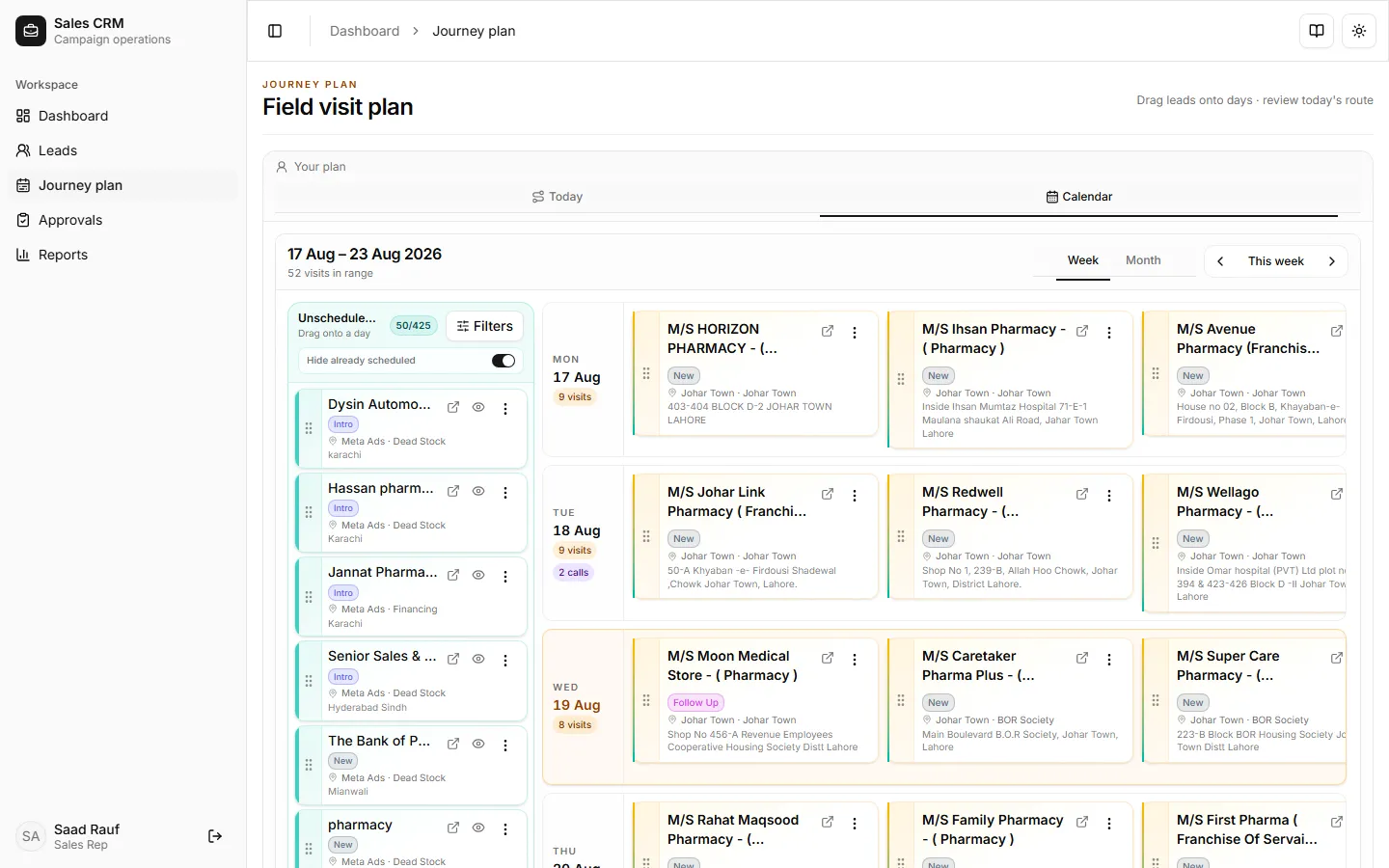
- Unscheduled leads (left) lists your assigned outlets not yet scheduled. Leads that already have a planned visit stay off this pool by default.
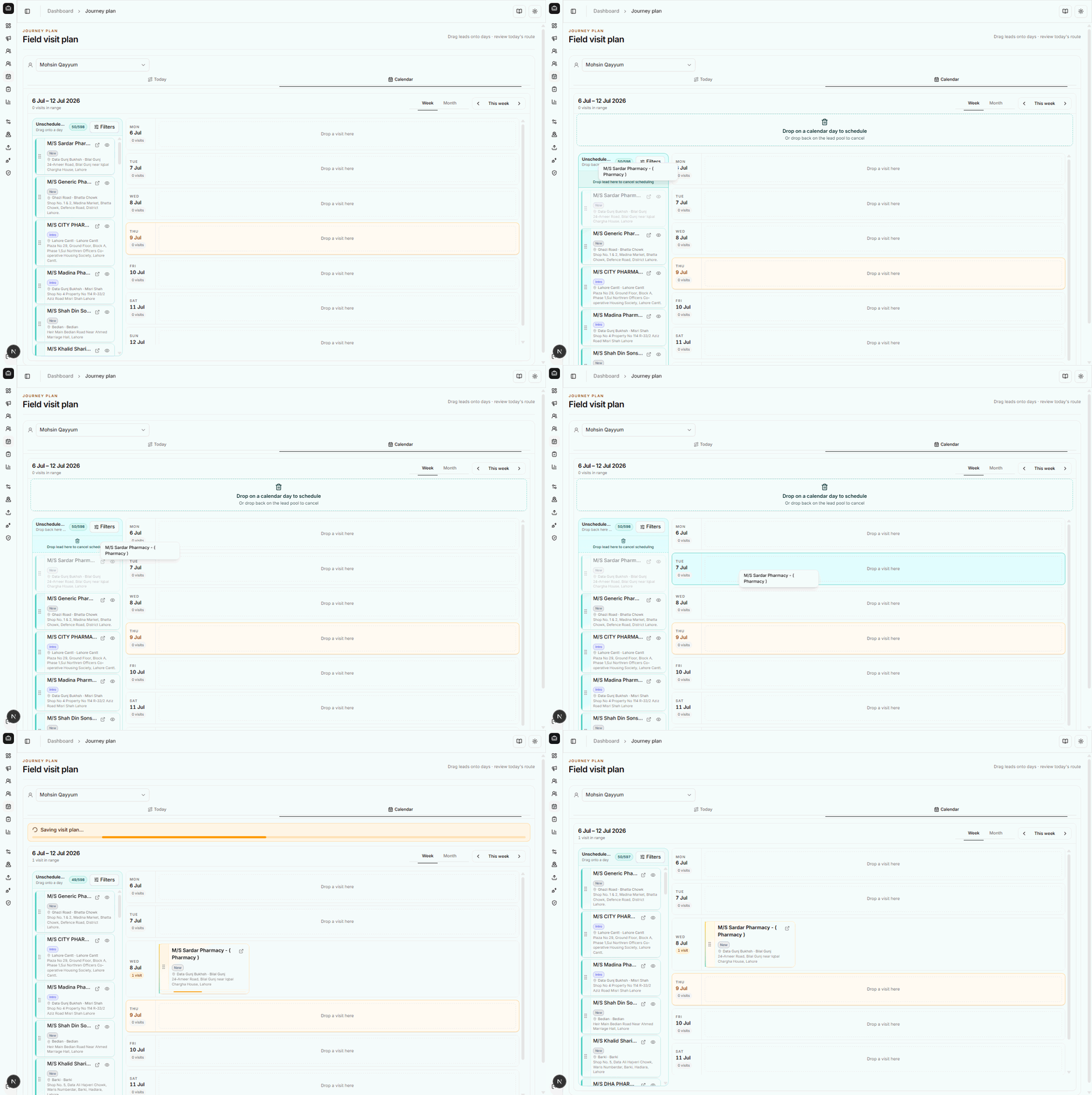
- Grab a lead card by the grip handle (⋮⋮) on the left, drag it onto a day column, and release on Drop a visit here. On tablets, use a firm press-and-drag on the grip — avoid scrolling the page mid-drag.
- Use Week / Month, This week, and the arrow buttons to move between date ranges. Filters narrows the lead pool (campaign, area, status).
- Use the lead card ⋯ menu for schedule / callback / WhatsApp / visits without leaving the plan.
- After field work, log visits from Leads → Visits so dashboard coverage and reports reflect actuals.
Today — review today’s route
Section titled “Today — review today’s route”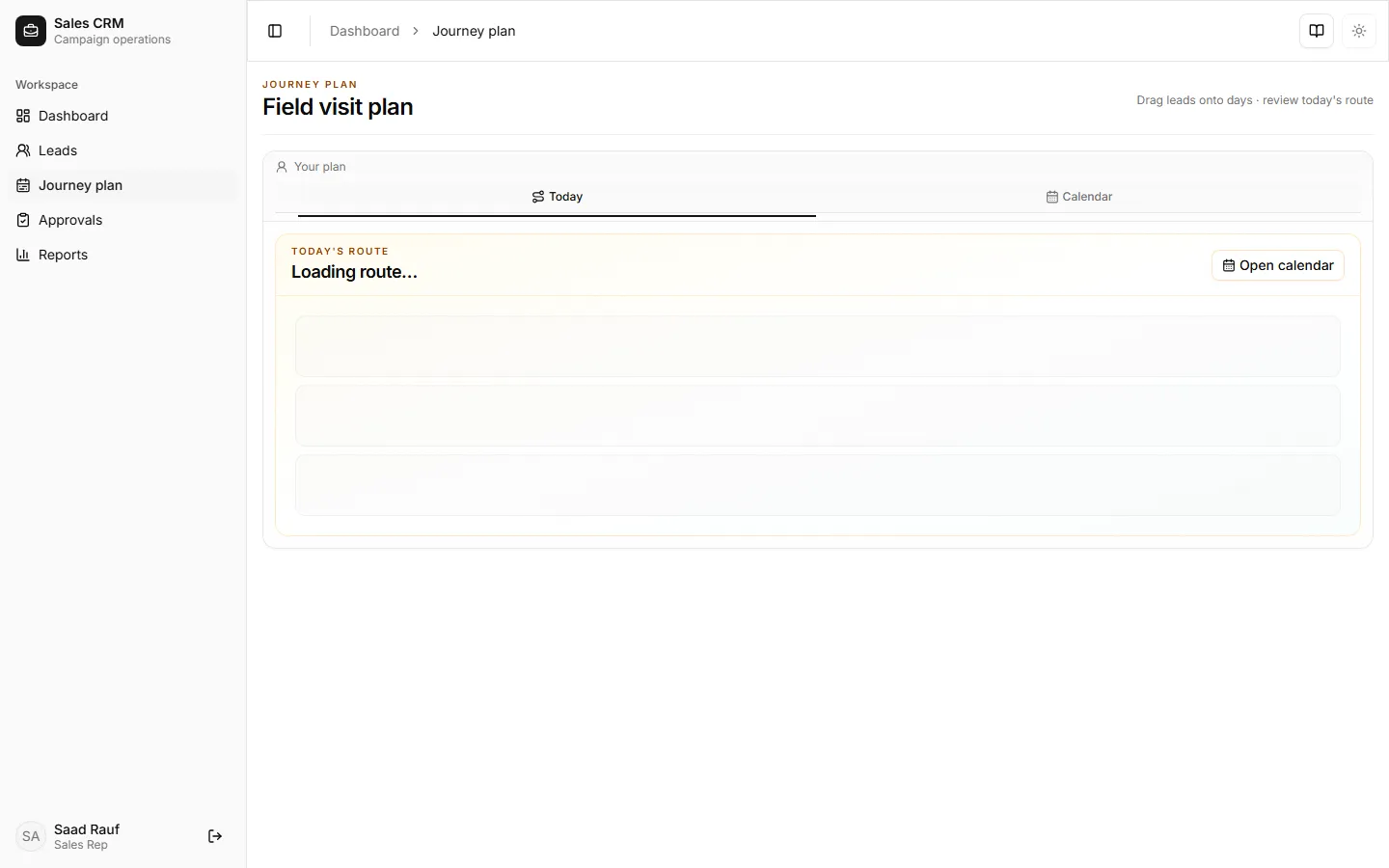
Calendar — drag leads onto days
Section titled “Calendar — drag leads onto days”The calendar is a two-panel layout: Unscheduled leads on the left, the week grid on the right. Each day column shows Drop a visit here until you schedule a visit.
Drag-and-drop in action
Section titled “Drag-and-drop in action”Grab a lead by the grip handle (⋮⋮), drag it over a day until the column highlights, then release. The floating label follows your cursor while you drag.
Success looks like
Section titled “Success looks like”Today lists the outlets you intend to cover. After logging visits, your Dashboard visit count reflects actual field work.
If it goes wrong
Section titled “If it goes wrong”| Symptom | Likely cause | Fix |
|---|---|---|
| No leads in the pool | None assigned, or leads already scheduled | Ask your manager to assign leads; clear schedule to return a lead to the pool |
| Drag does not stick | Network lag, scroll stealing the gesture, or unsaved plan state | Refresh and retry; drag from the grip; on tablet avoid page scroll mid-drag |
| PJP / plan counts look wrong | Visits not logged yet | Log visits from Leads; managers set the daily target under Operations → Rules |