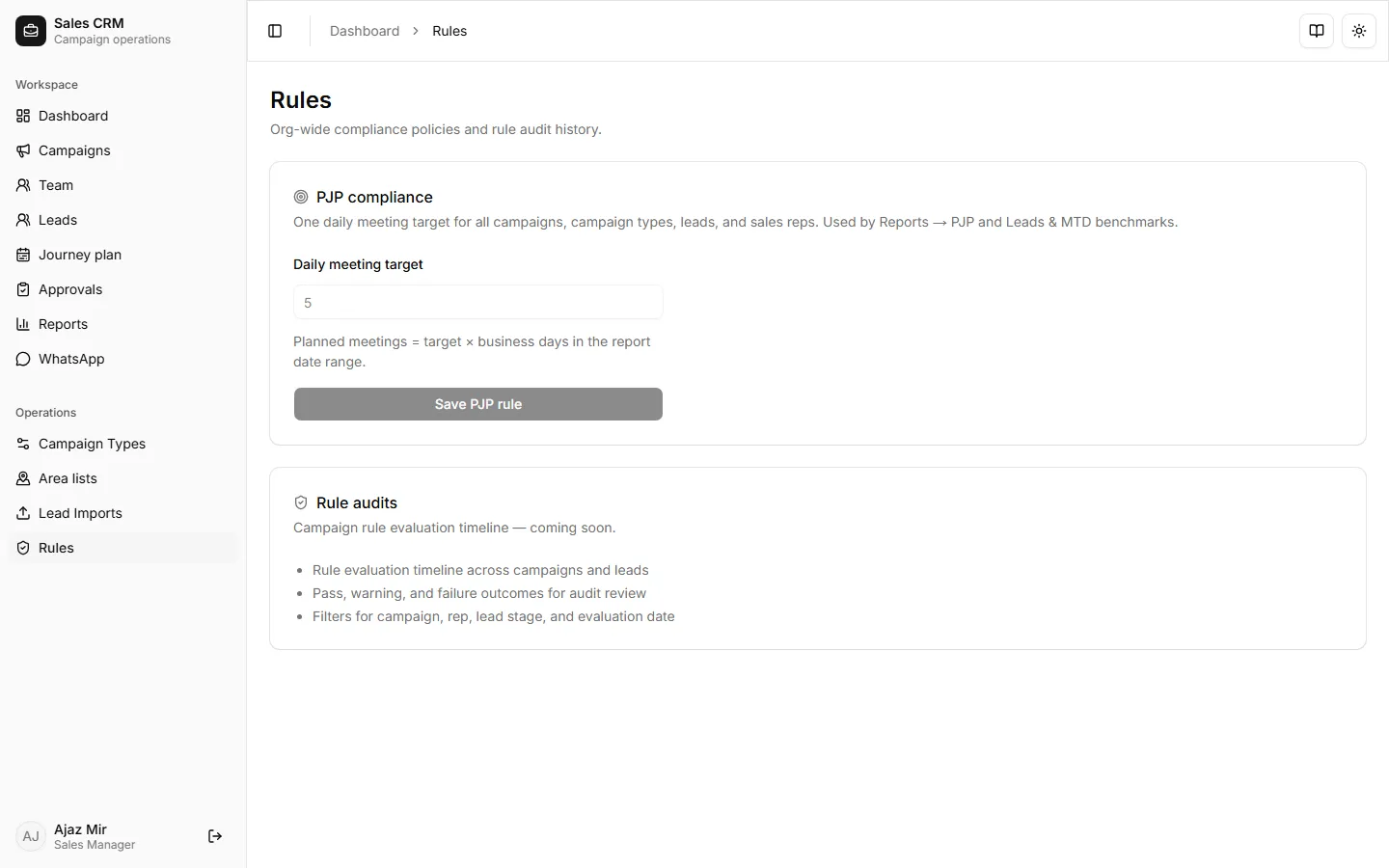
Set the PJP daily target
When to use this: Leadership changes the expected visits-per-rep-per-day (for example from 5 to 8).
Where: Operations → Rules
- Open Operations → Rules.
- Under PJP compliance, set Daily meeting target (whole number from 1 to 100).
- Click Save PJP rule.
The target applies org-wide: Reports → PJP, Reports → Leads & MTD benchmarks, and rep Dashboard daily visit targets all read this value.
Success looks like
Section titled “Success looks like”Report KPI cards show updated benchmarks (for example “7 biz days × 5” becomes “× 8” after you change the target to 8).
If it goes wrong
Section titled “If it goes wrong”| Symptom | Likely cause | Fix |
|---|---|---|
| “Daily target must be a whole number from 1 to 100.” | Decimal or out-of-range value | Enter an integer between 1 and 100 |
| Save button missing | Signed in as sales rep | Only admin and sales manager roles can edit rules |
| Benchmark unchanged in reports | Cached report range | Change date range or hard-refresh Reports |
Related
Section titled “Related”- Read team reports — PJP tab
- Plan your journey (rep guide)