Export leads
When to use this: You need a spreadsheet of your current lead book for offline planning.
Where: Workspace → Leads → export menu
- Filter Leads to the set you need.
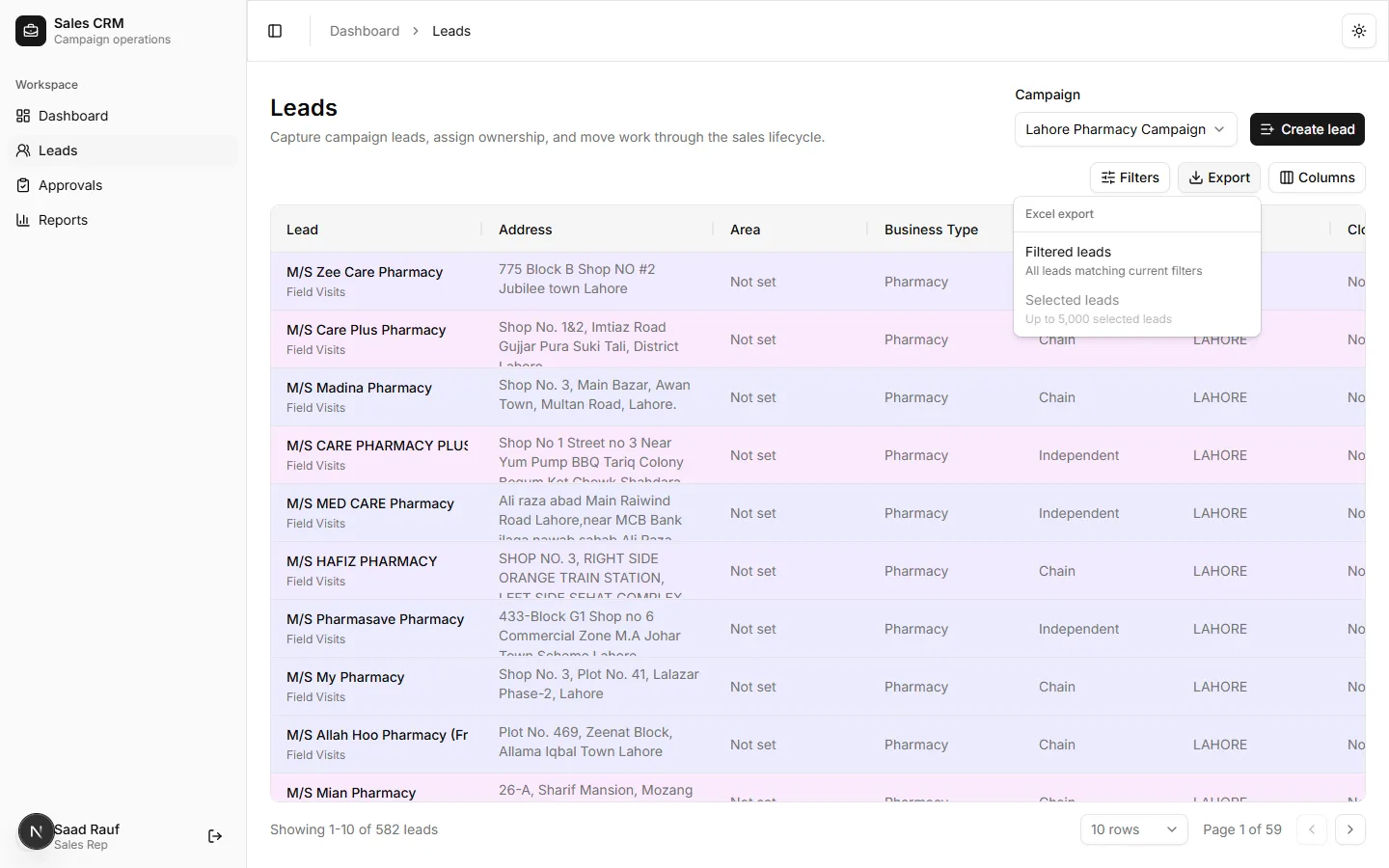
- Open the Export menu in the toolbar.
- Choose Export CSV (or export selected rows).
Success looks like
Section titled “Success looks like”A CSV downloads with the visible columns and filtered rows.
If it goes wrong
Section titled “If it goes wrong”| Symptom | Likely cause | Fix |
|---|---|---|
| Export menu disabled | Grid still loading | Wait until rows appear, then retry |
| Empty file | Filters exclude all rows | Clear filters or widen campaign selection |
| Missing columns | Hidden in column picker | Open Columns and enable fields before export |