Add fields to a campaign type
When to use this: You need new questions on lead create/edit or visit forms — for example Meta lead qualification, scoring, or extra pharmacy details.
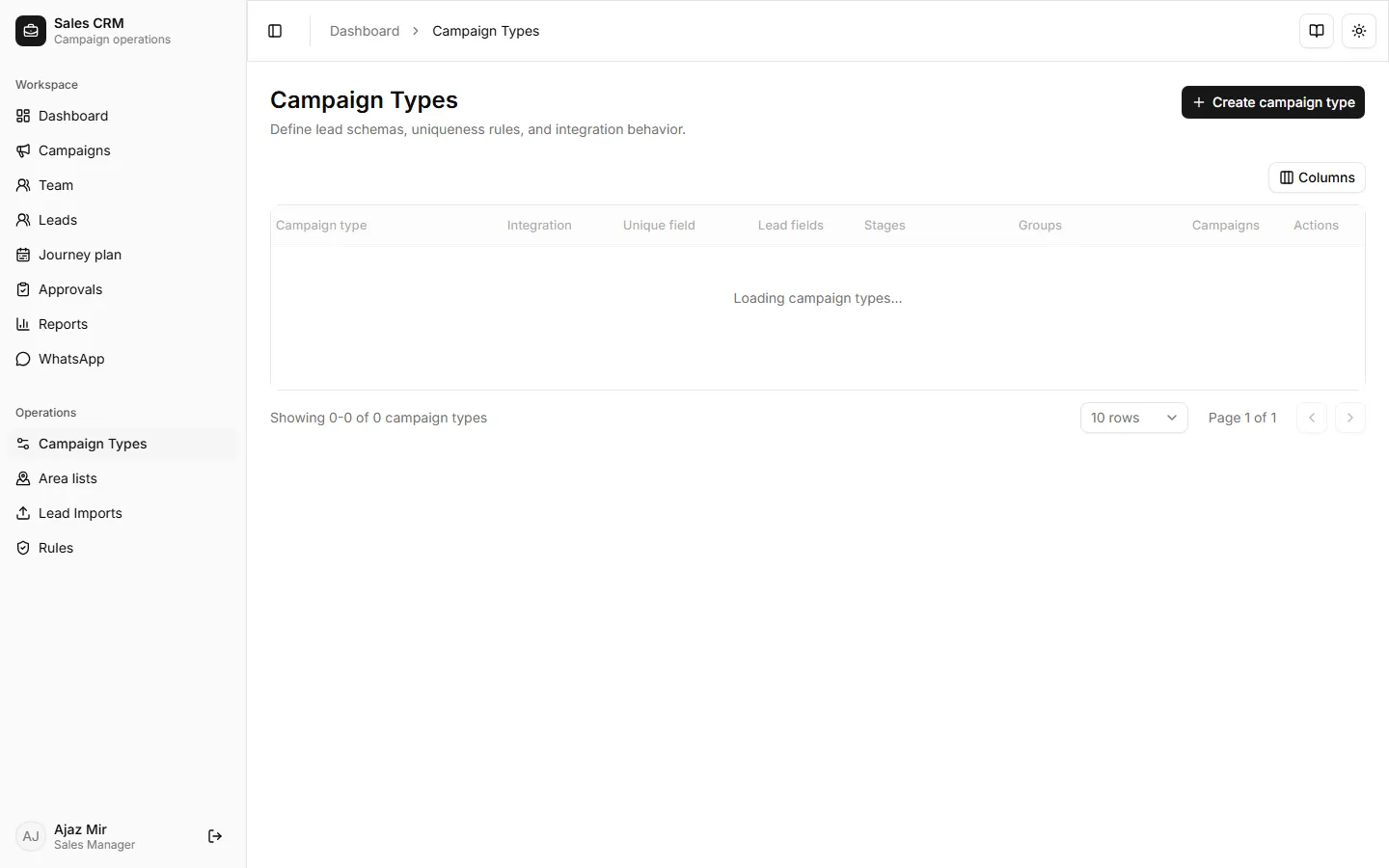
Where: Operations → Campaign Types → open the type → edit fields → Save.
Lahore Pharmacy Campaign uses the Field Visits campaign type. Edit Field Visits to change fields for that campaign (and any other campaign on the same type).
- Open Operations → Campaign Types.
- Find the type (e.g. Field Visits) and open Edit.
- Add a field row (or edit an existing one).
- Fill Key, Label, Type, Stage, and Options (for selects).
- Save.
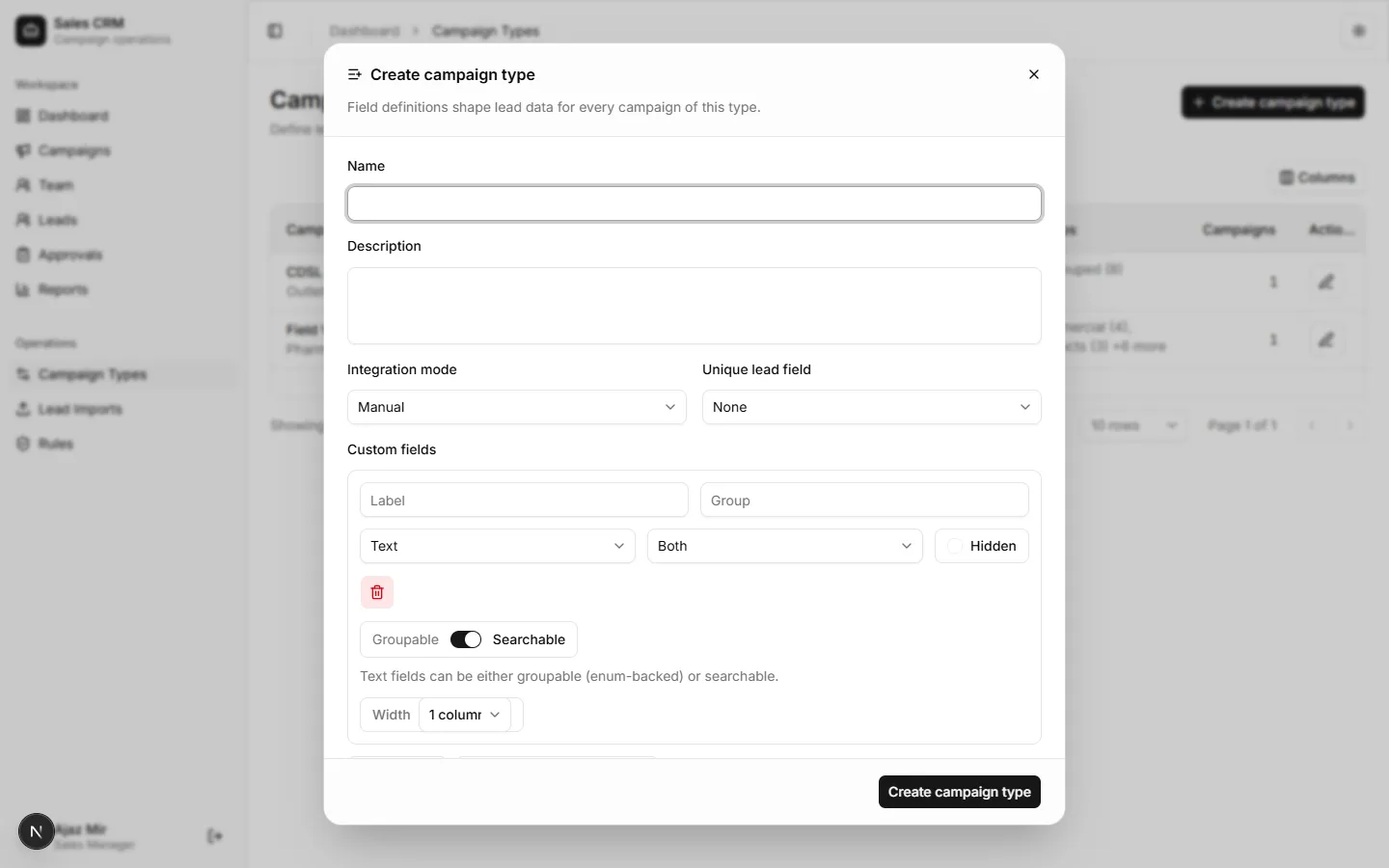
Field settings (what each control means)
Section titled “Field settings (what each control means)”| Setting | What it does |
|---|---|
| Key | Internal ID stored on the lead (e.g. ad_interest). Use lowercase letters, numbers, underscores. Do not change a key after leads already use it — that orphans old values. |
| Label | Text shown in forms and filters (e.g. “What interested you the most in our ad?”). |
| Group | Optional section heading in the form (e.g. Lead Qualification). |
| Type | Input control — see table below. |
| Stage | Where the field appears — see stages below. |
| Required | Block save until filled (use sparingly on Meta/import leads). |
| Options | For select only — one choice per line. Exception: Sales Person Name (sales_person_name) ignores hardcoded options and loads all active Sales Reps and Sales Managers at runtime. |
| Groupable | Allow filtering/grouping in leads & reports. Needs non-empty Options. Mutually exclusive with Searchable. |
| Searchable | Free-text search on leads. Mutually exclusive with Groupable. |
Sales Person Name
Section titled “Sales Person Name”If the field key is sales_person_name (label Sales Person Name), do not maintain a manual option list for production use. Forms and filters replace options with live user names. Keep the field as a select so the dropdown UI still appears.
Field types
Section titled “Field types”| Type | Use for |
|---|---|
| select | Fixed choices (Warm / Hot / Cold, Dead stock / Financing, …) |
| text | Short free text (phone, months, license) |
| textarea | Longer answers (“what do you understand we are offering?”) |
| number | Numeric values |
| date | Dates |
| boolean | Yes/No checkbox |
| image | Photo upload |
| location | Map / coordinates |
Stages
Section titled “Stages”| Stage | Shown on |
|---|---|
| creation | Create lead / edit lead only |
| visit | Log visit / edit visit only |
| both | Lead forms and visit forms |
“Others” free-text follow-up
Section titled ““Others” free-text follow-up”When a select needs an open answer (e.g. After _____ months):
- Add a select field with option
Others(exact spelling) plus your fixed options. - Add a companion text field whose key is
{parentKey}Other
Example: parentimplementation_timeline→ companionimplementation_timelineOther. - Mark the companion hidden if the builder allows it — the UI shows it only when Others is selected.
| Parent options | Companion key | Companion label example |
|---|---|---|
| Immediately · Just exploring · Others | implementation_timelineOther | After how many months? |
Example: Meta lead qualification (Lahore Pharmacy)
Section titled “Example: Meta lead qualification (Lahore Pharmacy)”These fields belong on Field Visits under group Lead Qualification. They appear for all leads on that type (including source meta_lead).
| Label | Key | Type | Stage | Options |
|---|---|---|---|---|
| What interested you the most in our ad? | ad_interest | select | both | Dead stock · Financing · Both · Not sure |
| Based on the ad, what do you understand we are offering? | ad_offering_understanding | textarea | both | — |
| When are you planning to implement or switch? | implementation_timeline | select | both | Immediately · Just exploring · Others |
| After how many months? | implementation_timelineOther | text | both | (shown when Others) |
| Would you like a free demo or consultation? | demo_consultation | select | both | Yes · No |
| If yes, preferred timing (months) | demo_preferred_months | text | both | — |
| Lead Quality Scoring | lead_quality_scoring | select | both | Warm · Hot · Cold |
| Lead Quality Feedback / Reason | lead_quality_feedback | select | both | Sectioned Cold / Warm / Hot reasons (see below) |
Lead Quality Feedback / Reason options
Section titled “Lead Quality Feedback / Reason options”One flat dropdown with Cold / Warm / Hot section headers. Near-duplicates from ASE working reports were merged.
Cold
- Mistaken / accidental ad or form submission
- No response / unreachable
- Intro done, but not answering calls
- Job inquiry (not a pharmacy lead)
- Interested in discounted pharma products (not POS)
- Want to buy pharmacy franchise
- Financing need resolved independently
- Lead lost due to high price / billing
Warm
- Showing interest in POS, needs more time
- Future buying / exploring later
- Follow-up call scheduled
- Next meeting scheduled
- Waiting for pharmacy license
- Waiting on previous POS decision
- Demo done, waiting for decision
Hot
- Interested in demo, not answering right now
- Asked to call after a given date
- Expected to return to Pakistan next week
- Demo done, renovation in process
Checklist before you save
Section titled “Checklist before you save”- Keys are unique on this campaign type.
- Select fields that should filter in reports are groupable with options filled.
- You did not rename keys that already have lead data.
- Visit-only questions use stage visit; intake questions use creation or both.
- You edited the correct type (Field Visits for Lahore Pharmacy).
Success looks like
Section titled “Success looks like”- New fields appear on Create lead / Edit lead (and visits if stage includes them).
- Select options appear in lead filters when groupable is on.
- Existing leads keep old data; new fields are empty until filled.
If it goes wrong
Section titled “If it goes wrong”| Symptom | Likely cause | Fix |
|---|---|---|
| Save blocked | Missing label, type, or invalid key | Complete every field row |
| Field missing on create lead | Stage is visit only | Set stage to creation or both |
| Field missing on log visit | Stage is creation only | Set stage to visit or both |
| Others text never appears | Companion key ≠ {parent}Other, or option not exactly Others | Fix key / option spelling |
| Wrong campaign has no fields | Different campaign type | Edit the type linked to that campaign |
| Old values “disappeared” | Key was renamed | Restore previous key or migrate data |