Use the dashboard
When to use this: You need a daily or weekly pulse on visits, contacted pipeline, and lead quality for a campaign.
Where: Workspace → Dashboard
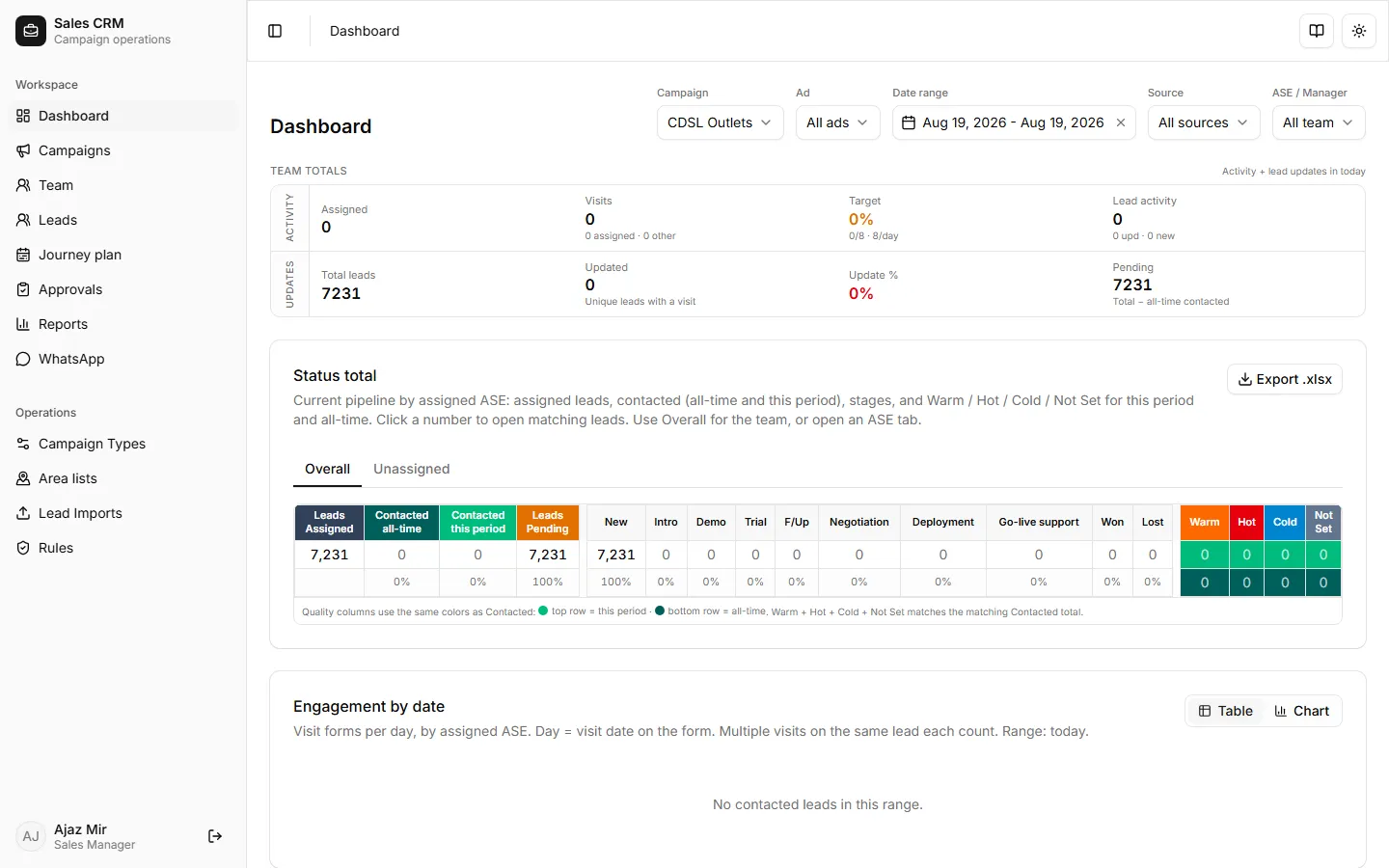
- Open Workspace → Dashboard.
- Select a Campaign — metrics stay empty until a campaign is chosen.
- Optionally narrow with:
- Ad — Meta ad name from lead attribution (e.g. Finance Static Form). All ads clears the filter.
- Date range — window for period KPIs and charts.
- ASE — one sales rep, or the full team.
- Manager (admins) — scope to a manager’s team.
- Lead source — Manual, Meta Lead, WhatsApp, website forms, and related sources.
- Read KPI cards, then the quality / Status total block (Warm / Hot / Cold / Not Set for this period and all-time).
- Scroll to ASE daily matrices (engagement vs submission). Click a day cell to open the pharmacy visit list for that day.
- Click a quality or contacted number to open the matching leads drawer when offered.
Success looks like
Section titled “Success looks like”KPI counts match the filters you set. Quality rows sum to Contacted for that scope. Changing Ad or ASE refreshes cards and matrices without leaving the page.
If it goes wrong
Section titled “If it goes wrong”| Symptom | Likely cause | Fix |
|---|---|---|
| “Select a campaign…” | No campaign chosen | Pick a campaign in the header |
| Ad list empty or stale | No Meta adName on leads, or junk permission text stripped | Confirm Meta ingest; re-sync sheets if needed |
| ASE picker missing reps | Wrong manager / campaign | Admins: set Manager; managers: confirm team membership under Team |
| Quality shows many Not Set | Lead quality not filled on visits | Ask reps to set Lead Quality on the visit / edit lead form |
Related
Section titled “Related”- Read team reports — Weekly review for ASE packs
- Report tabs reference
- Add fields to a campaign type — Lead Quality fields