Log a visit
When to use this: You completed a call or in-person visit on a lead.
Where: Lead → Visits → Add visit
Part of the end-to-end guide: New lead, approval, and visit.
- From Leads, open a lead and go to Visits (or use the eye / ⋯ → View visits).
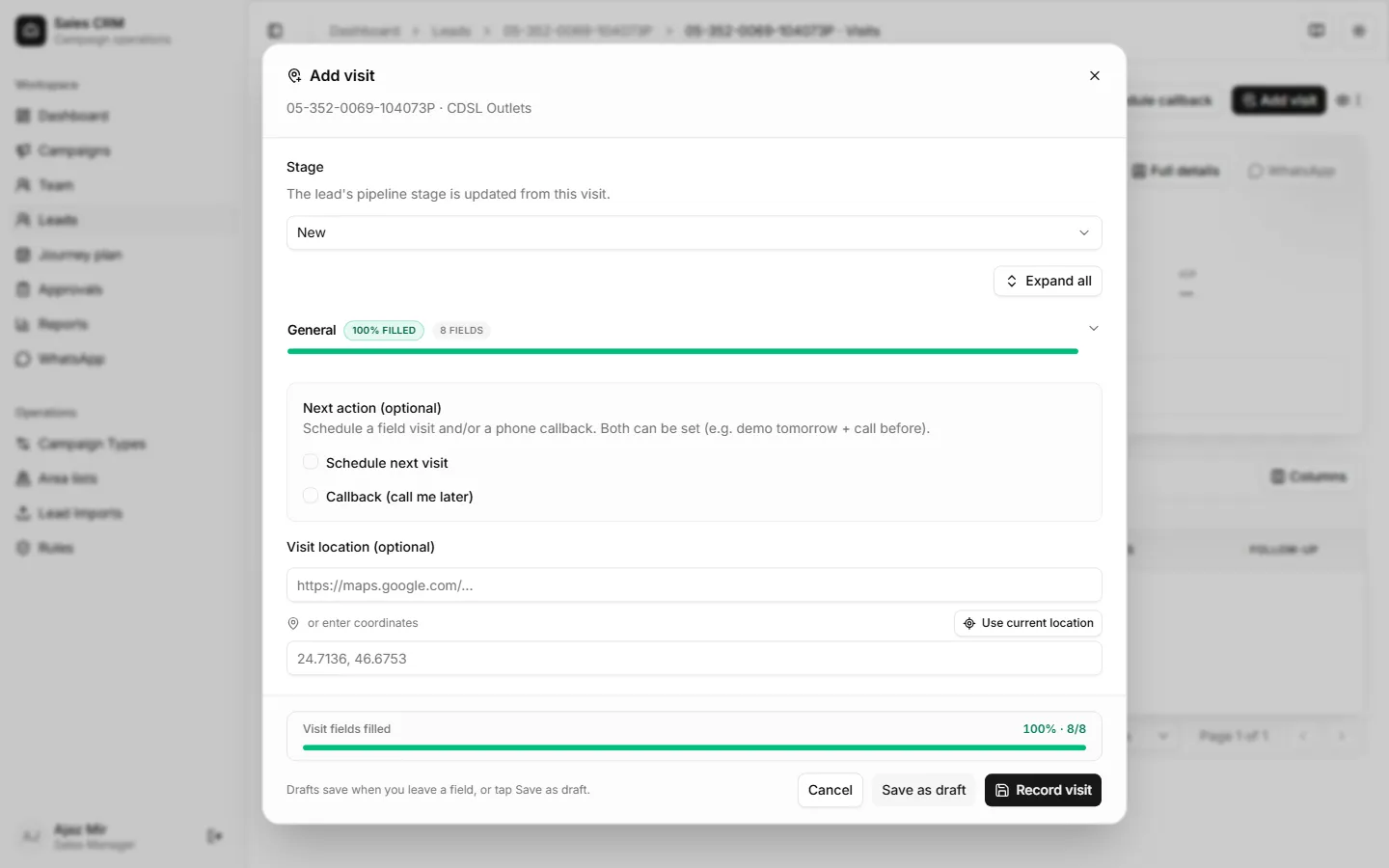
- Click Add visit.
- Optionally click Copy from last visit to prefill fields from the previous recorded visit (visit date stays today).
- Set visit date, outcome, update stage if it changed, and add notes.
- Fill campaign visit fields as required — including Sales Person Name when shown. That list is live: every active Sales Rep and Sales Manager in the CRM (new people appear automatically).
- Optionally set a next action:
- Schedule next visit — plans a field visit on the Journey plan (PJP).
- Callback — stores a “call me later” date/time (and optional note, e.g. call before demo). You can set both.
- Save as draft anytime (also autosaves when you leave a field). Draft status and Discard draft stay in the footer next to the action buttons. Drafts appear in the visits list with a Draft badge and do not count toward dashboard/report visit totals until recorded.
- Click Record visit when the visit is complete.
You can also schedule a callback (or clear one) from the lead’s ⋯ menu, the same way as Schedule visit.
Success looks like
Section titled “Success looks like”The visit appears in the list and counts toward your Dashboard and Reports → Visits totals. On the leads table, scheduled next visits show as the amber chip; callbacks show as the violet chip (hover for the note); latest visit shows as the green chip.
If it goes wrong
Section titled “If it goes wrong”| Symptom | Likely cause | Fix |
|---|---|---|
| Add visit disabled | Lead not assigned to you | Confirm assignment with your manager |
| Required field errors | Campaign visit schema | Complete every required visit field |
| Sales Person Name missing someone | User inactive or not Sales Rep / Sales Manager | Ask an admin to activate the user with the right role |
| Visit not in reports | Still a draft, or date outside report range | Click Record visit, or widen Reports date filter |
| Lost progress | Browser closed mid-form | Reopen Add visit — server draft restores |