Sales Manager Guide
Audience: Sales managers and admins running campaigns, teams, and reporting.
Purpose: This is the front door to the Sales Manager guide. It explains the workspace at a glance, then points you to the right page — a single task, a rule, or why a feature works the way it does.
Companion guide: field reps have their own guide — Sales Rep.
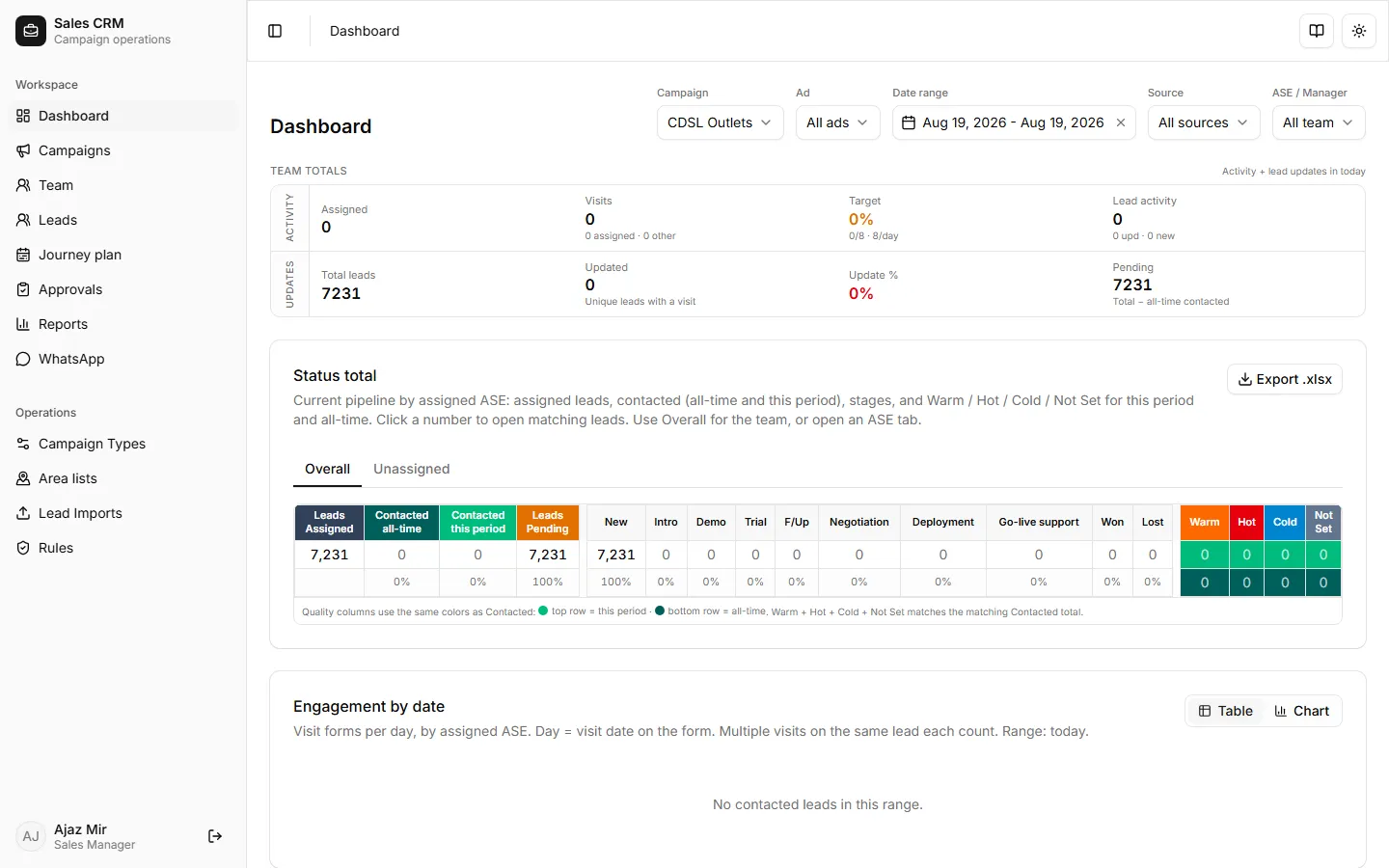
The Sales Manager workspace is the control center for campaign operations. The Dashboard shows KPI cards (assigned leads, visits, outcomes), quality breakup, and ASE activity. The sidebar groups features into Workspace (day-to-day selling) and Operations (setup and bulk tools).
How to get there
Section titled “How to get there”Sign in with your manager or admin account. In the app sidebar, every manager feature lives under Workspace or Operations — see the navigation map below.
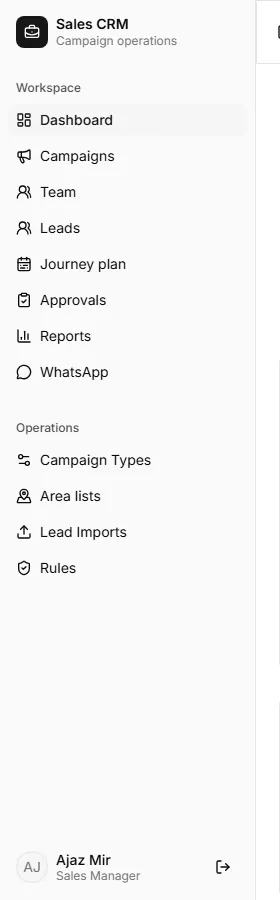
| Area | Sidebar path | What you do there |
|---|---|---|
| Dashboard | Workspace → Dashboard | KPIs, Ad / ASE filters, quality breakup, daily matrices |
| Campaigns | Workspace → Campaigns | Create and manage campaigns |
| Team | Workspace → Team | Add users, set roles |
| Leads | Workspace → Leads | Create, assign, bulk-assign leads |
| Approvals | Workspace → Approvals | Review rep lead requests |
| Reports | Workspace → Reports | Visits, Weekly review, and other report tabs |
| Workspace → WhatsApp | Inbox and campaign bulk send | |
| Campaign Types | Operations → Campaign Types | Define field schemas |
| Area lists | Operations → Area lists | Territory dropdowns and redistribution |
| Lead Imports | Operations → Lead Imports | CDSL Excel import |
| Rules | Operations → Rules | PJP daily visit target |
Find your task
Section titled “Find your task”| Task | Where | Doc |
|---|---|---|
| Use the dashboard | Workspace → Dashboard | How-to |
| Create a campaign | Campaigns → Create campaign | How-to |
| Import CDSL leads | Operations → Lead Imports | How-to |
| Assign a lead to a rep | Leads → row actions | How-to |
| Bulk-assign leads | Leads → selection + Assign | How-to |
| Review rep lead requests | Workspace → Approvals | How-to |
| Lead approval workflow | Rep submit → manager approve | Tutorial |
| Add a team member | Team → Create user | How-to |
| Read team reports | Workspace → Reports | How-to |
| Send WhatsApp messages | Workspace → WhatsApp | How-to |
| Define a campaign type | Operations → Campaign Types | How-to |
| Add fields to a campaign type | Operations → Campaign Types → Edit | How-to |
| Manage area lists | Operations → Area lists | How-to |
| Set PJP daily target | Operations → Rules | How-to |
| Inside-sales flow (diagrams) | Qualification → Convert → POS/addons → deployment | Explainer |
Choose your path
Section titled “Choose your path”New to the CRM? Walk one week end to end, then keep the task pages handy:
Tutorial — Run your first week → Create campaign → Import leads → Assign reps.
Rep lead requests? Follow Lead approval workflow — review, approve, and hand off to the rep for visits.
Need a quick answer? Every task is its own page under How-to — see the table above.
Want the exact rules? The Reference pages list permissions, report tabs, and lead stages.
How does inside sales work now? Campaign is where the lead came from; product lives on the deal. Leads move on Qualification; convert opens POS (+ optional addons). See Inside-sales flow for diagrams and must-haves.
Training a new manager? Use the tutorial as the spine, then the explainers for the “why,” and the how-tos as a reference card.